A fast, beautiful markdown workspace with banners, boards, an infinite canvas, wikilinks, a power-user command palette and Public View — a privacy mode no other notes app has. Your notes are plain files you own — synced across every device.
Plain-text markdownSyncs across devicesYours to keep, forever
Live markdownWikilinks & embedsInfinite canvasPublic View privacyMac · Windows · Linux · iPhone · iPadWorks offline, no account
Everything in one vault
A real workspace, not just a text box
Powerful where you need it, invisible when you don't — with a few tricks no other notes app can match.
Live markdown editor
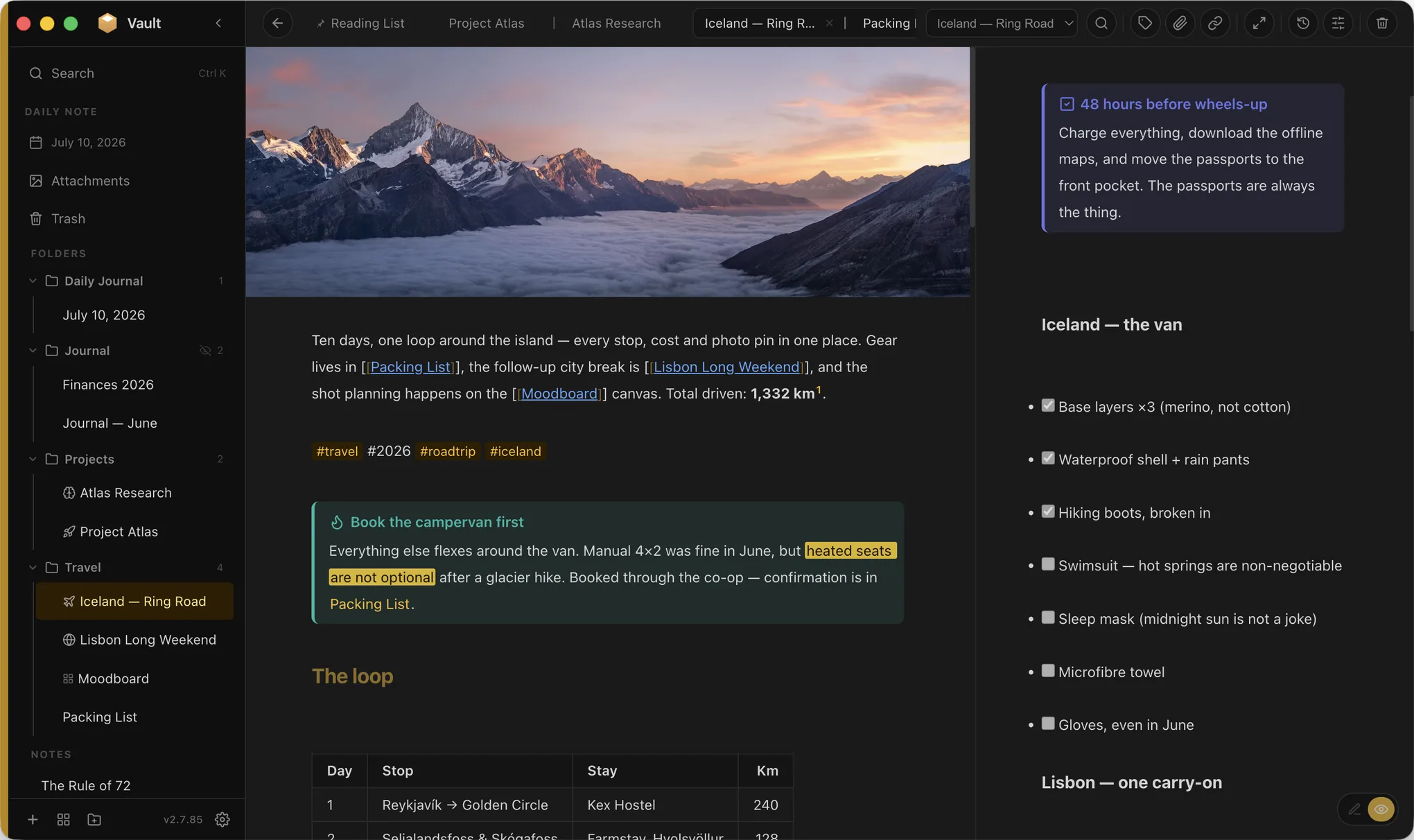
Headings, tables, task lists, callouts and code render as you type — with floating and contextual formatting toolbars.
Wikilinks & transclusion
Link with [[brackets]], preview on hover, embed whole notes or sections inline, and see every backlink.
Infinite canvas
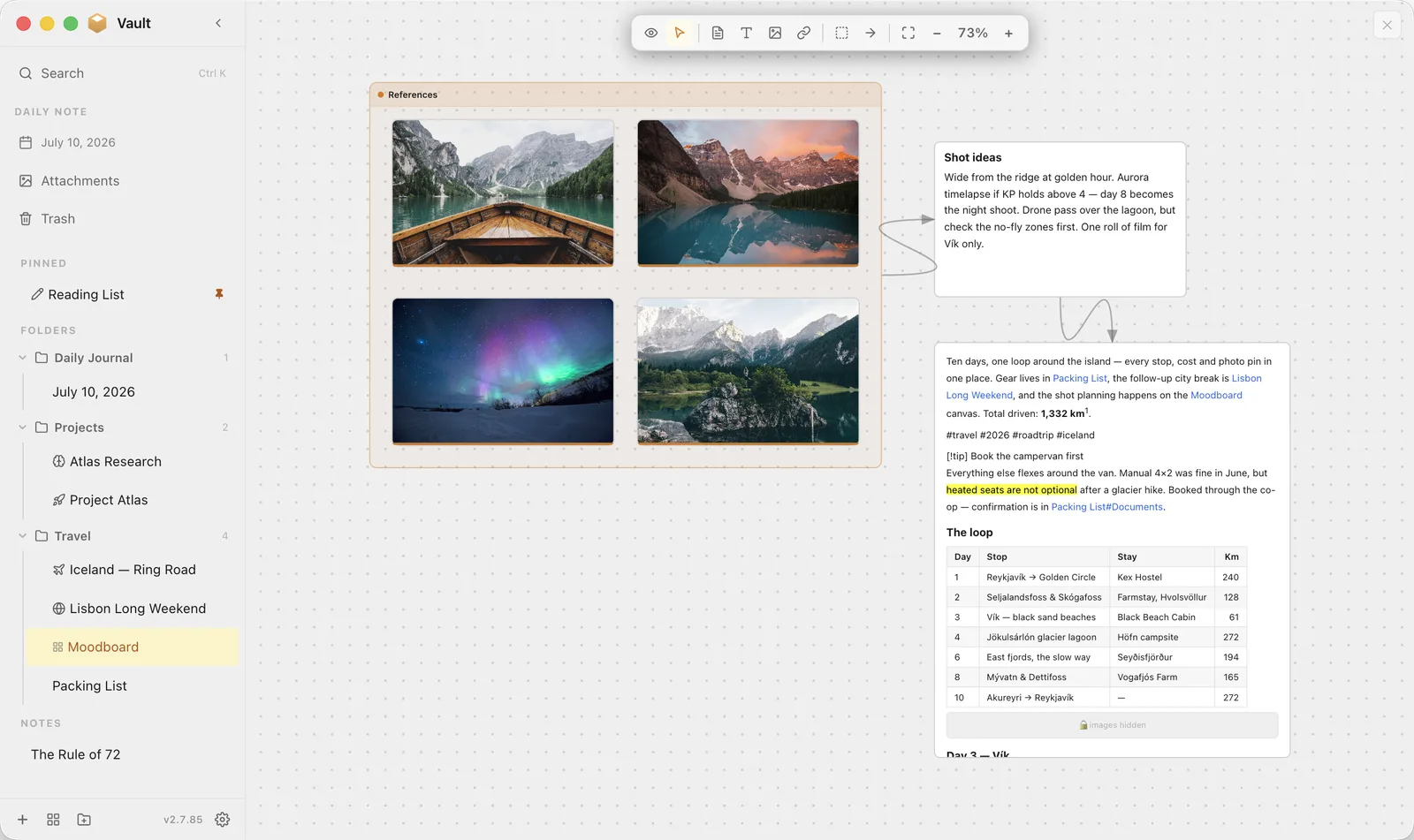
Drop images, notes and text onto a boundless surface, group them, and wire them together with arrows.
Boards
A note that works like a kanban board — drag cards between columns. Underneath it's still plain markdown, so opening it as text gives you a readable outline. Drop in a note and the card shows its live preview.
Connections
A floating map of how the note you're reading relates to everything else — through links, images, tags, follow-ups and time. Every connection tells you why it's there, and it works even if you've never tagged a thing.
Public View
Hide flagged folders and media on a schedule — or instantly with one command. Built for screen-shares and shoulder-surfers.
Command palette
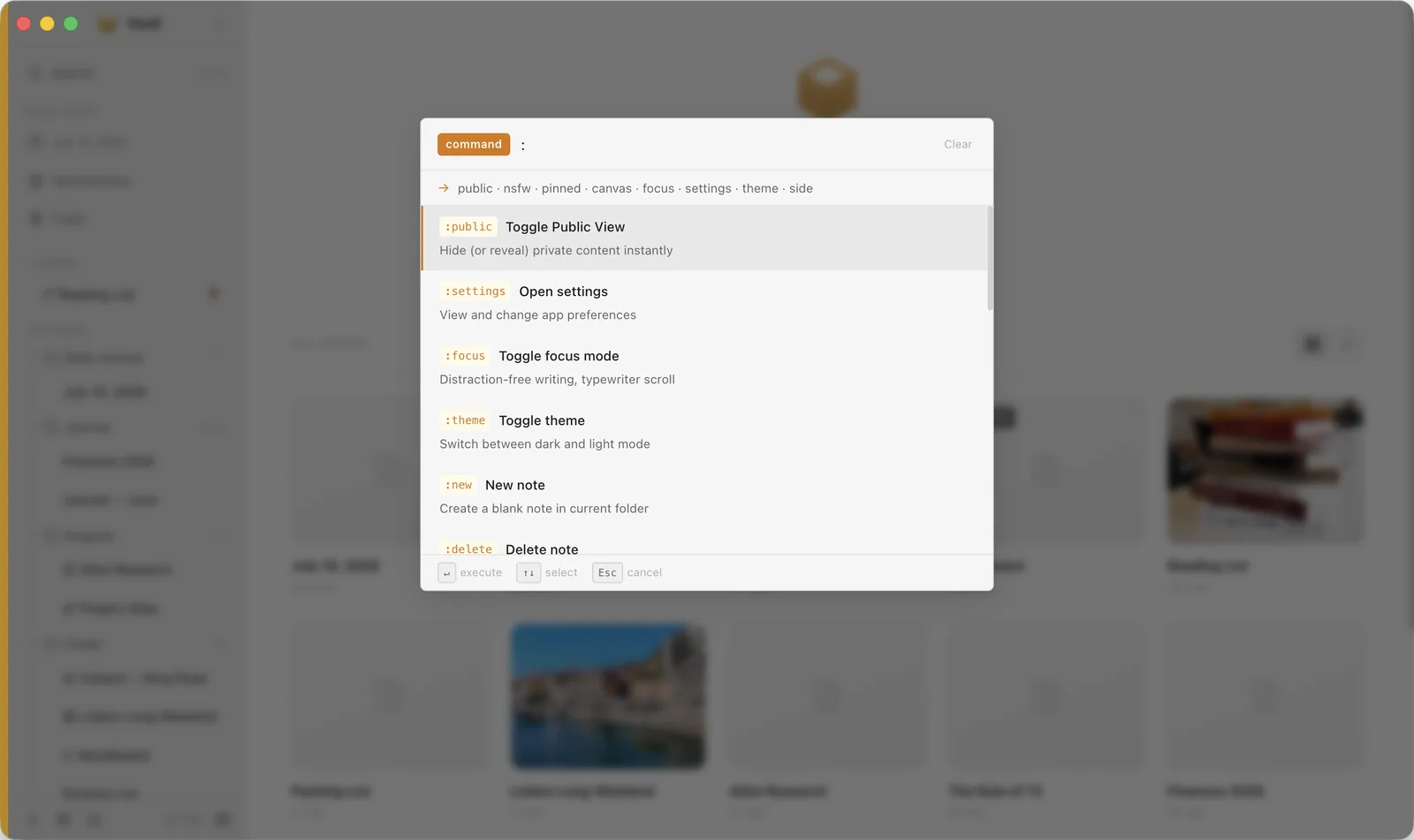
Hit ⌘K to search, run commands, browse folders with /, jump by #tag or filter your whole vault.
Daily notes
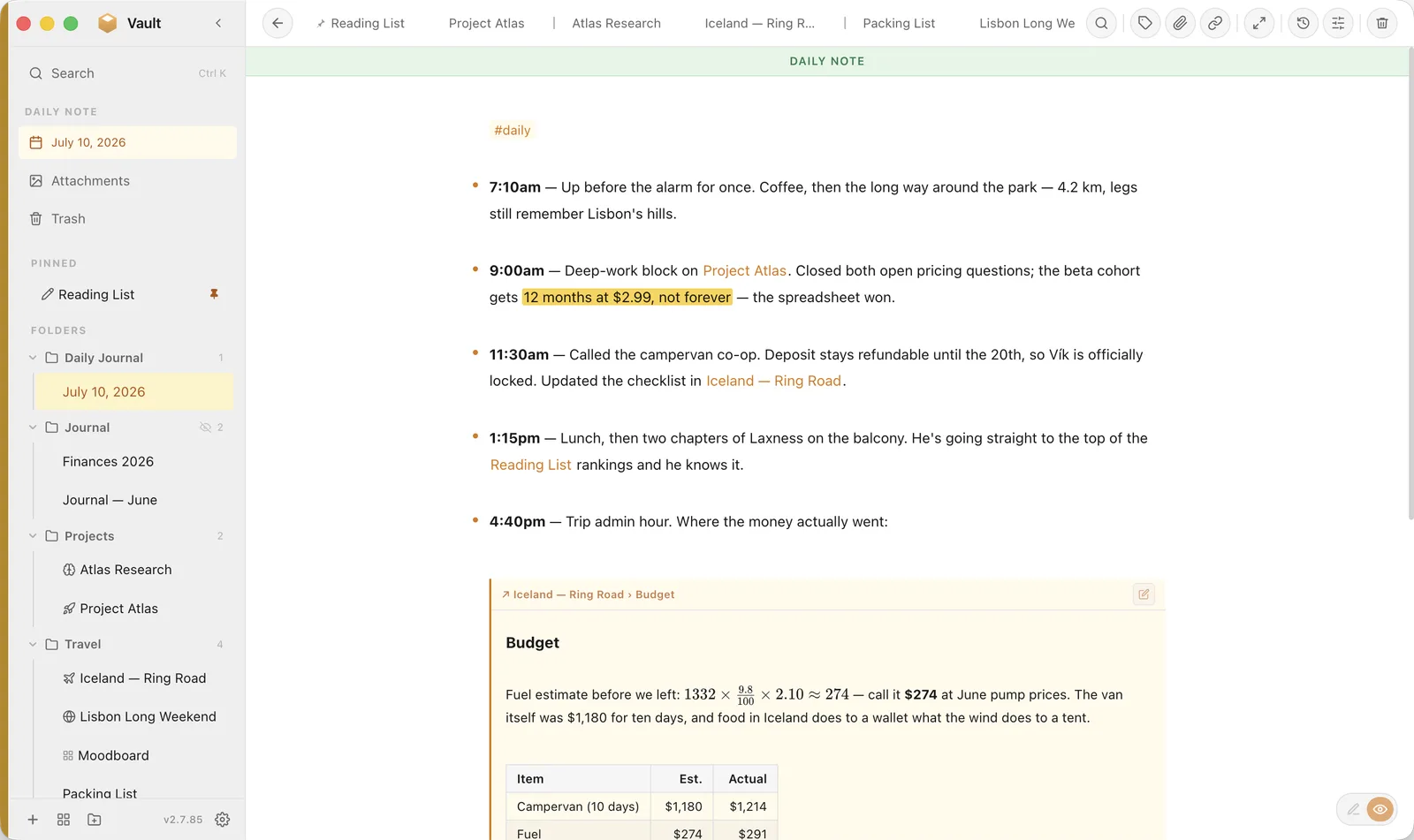
A fresh dated entry every day, automatically. Build a habit and watch your journal grow into a searchable timeline.
Split view & tabs
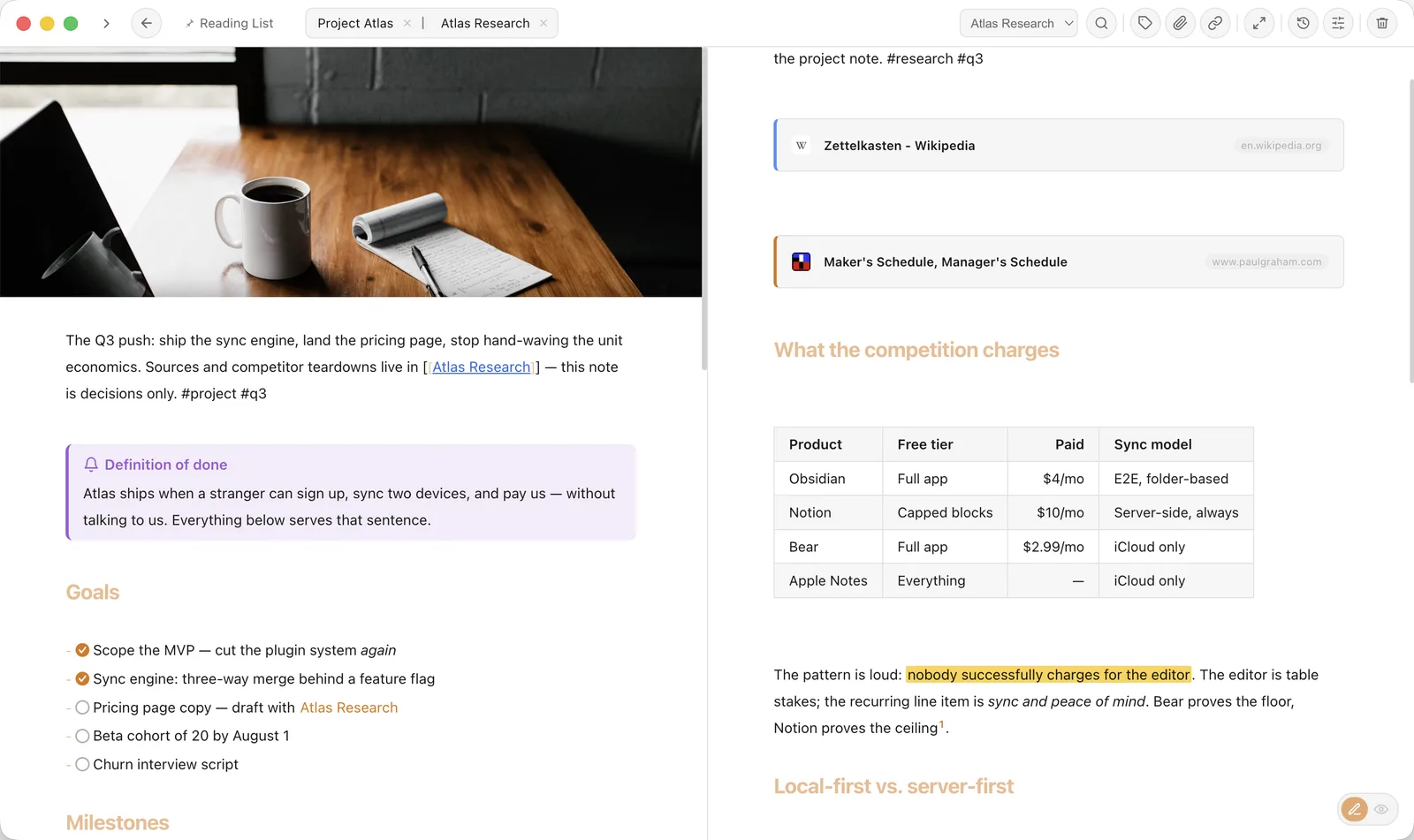
Chrome-style note tabs, drag one aside for a side-by-side split, with a live outline and version history.
Rich pages
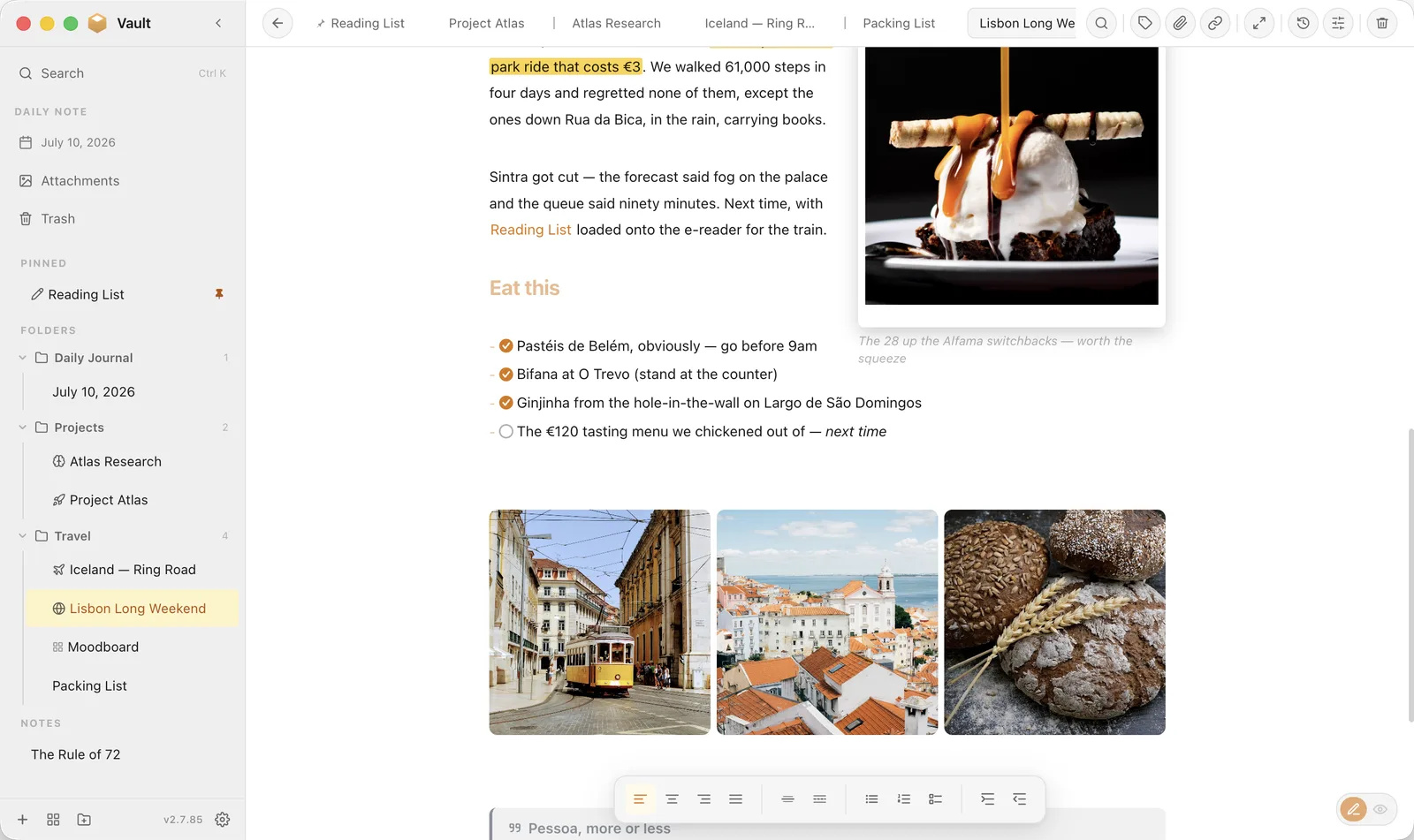
Cover banners with parallax, image galleries, inline floats and a full attachments library — no plugins required.
Handwritten notes
On iPad, write and sketch with Apple Pencil. Hold a stroke to straighten it, and rough triangles, boxes and circles snap crisp — each sketch lives in your note as an editable drawing.
Everywhere you are
Native Mac, Windows & Linux apps and a SwiftUI iPhone & iPad companion with a home-screen widget — your vault, in sync.
Themes & focus mode
Auto light/dark with a warm gold accent, custom widths, and a distraction-free focus mode with typewriter scroll.
Take the tour
Built for the way you actually think
From a quick daily log to a sprawling visual canvas — every view is fast, focused and beautiful. These are real screenshots, not renders.
Infinite Canvas
Spread everything out and connect the dots
Pull images, notes and text onto an endless surface, group what belongs together, and draw the relationships between them. Brainstorming without borders.
Image, note & text nodes you can drag anywhere
Directional arrows and labelled groups
Pan, zoom and frame to focus
Command Palette
Your whole vault, one keystroke away
Brought over from the best search I've used. Hit ⌘K and go: open notes, run commands, browse a folder, filter by type, or search a phrase and land right on it — highlighted.
: commands — /folder browse — #tag jump
Full-text search that scrolls to & flashes the match
Filters for canvases, pinned, images, orphans & more
Tabs, Split & History
Work two notes at once — and never lose a version
Open notes as Chrome-style tabs, drag one to the side for an instant split, follow long docs with a live outline, and roll back any change with built-in version history.
Reorderable note tabs with drag-to-split
Live outline, backlinks & one-click history
Custom page widths, from full-bleed to focused column
Rich Pages
Notes that read like a magazine
Cover banners, gap-free photo grids, floated images with polaroid frames and captions, highlights, callouts — all of it plain markdown underneath, styled with a couple of tokens.
Image floats with text wrap, captions & frames
2–5 column photo grids, packed edge to edge
==Highlights==, callouts & footnotes
Daily Notes & Timeline
A journal that keeps itself organized
A fresh dated note every day, automatically. Timestamped lines get a timeline rail in the margin, and you can embed any section of any note — the trip budget lives in the trip note, and today's entry just quotes it, live.
Auto-created daily note, searchable forever
Timeline dots beside **9:30am** lines
Transclusion — embed a live section of another note
Math & Beyond
LaTeX when you need it, invisible when you don't
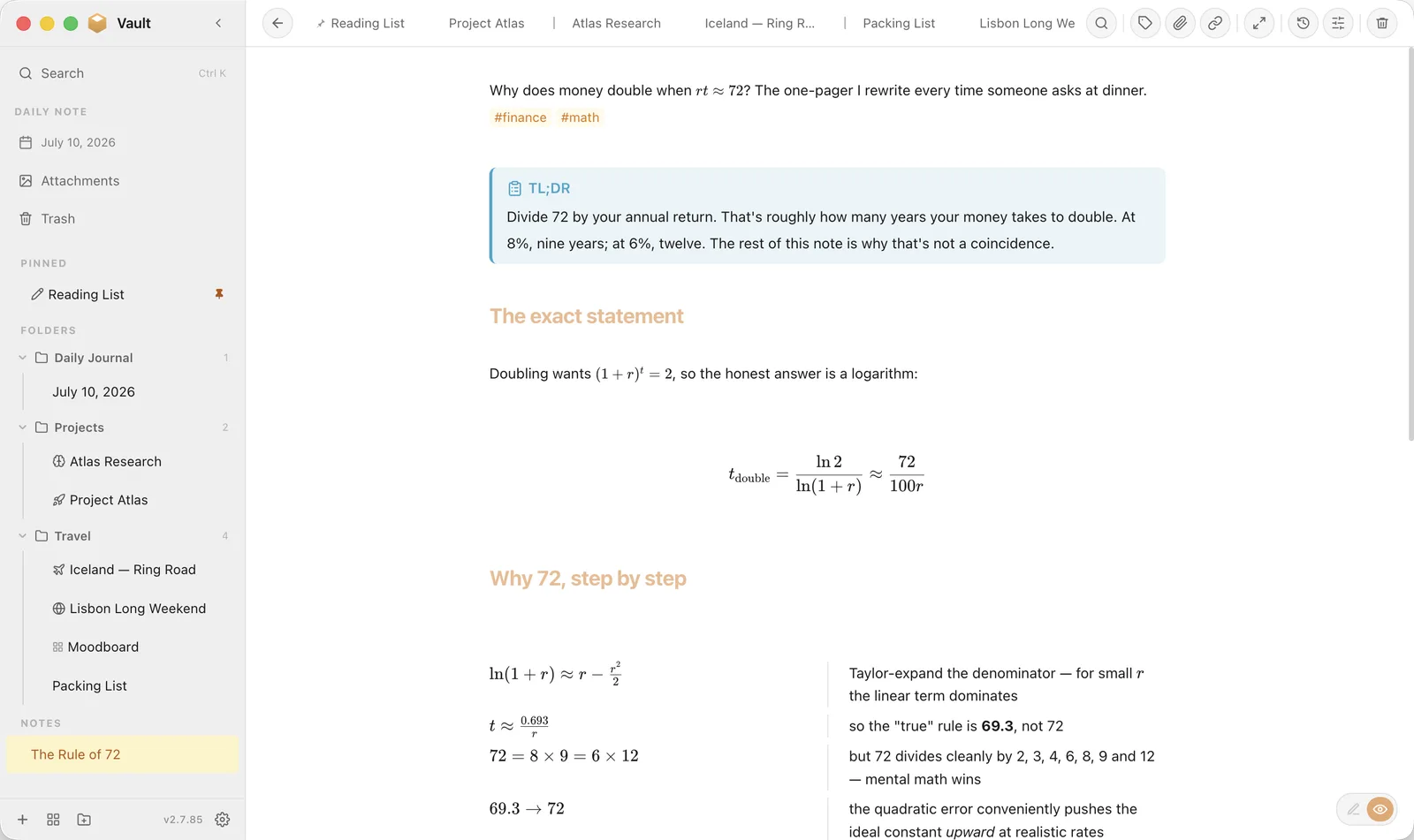
Inline and display math render with KaTeX — currency-safe, so $5 and $10 stay plain text while formulas turn beautiful. Step-by-step column layouts keep the derivation on the left and the plain-English on the right.
Inline $…$ and display $$…$$ math
Multi-column blocks for side-by-side working
Tags, TL;DR callouts & footnotes round it out
The feature no one else has
Public View — present without oversharing
Flag any folder or image as private. Then hide it all on a schedule, or flip it instantly with :public. Perfect for screen-shares, presentations, a café table, or handing your phone to a friend — your personal notes simply aren't there until you say so. It's airtight by design: every view, preview, search and thumbnail respects it — and a Touch ID lock can blur the whole app the moment it loses focus.
Public View On9:00–17:00
The full list
Everything Vault Notes can do
Fifty-plus features, all in one app you own — free to use, no plugins to wrangle.
Pricing
Free to use. Pro to sync.
The whole app is free, forever, on one device. Add Pro when you want your vault backed up and in step across everything.
Pro switches on inside the app — Settings › Sync. One subscription covers every device you own.
Make your vault today
Turn a folder on your computer into the fastest, most private, best-looking workspace you've ever owned — and carry it in your pocket. Free on Mac, Windows, Linux, iPhone & iPad.